Every guide I have read about AI business process automation assumes you have an IT department. A dedicated operations team. A six-figure technology budget. An enterprise platform like ServiceNow or Salesforce.
Most of the organizations I work with have none of those things. They have 8 to 40 people. They run on Google Workspace, maybe Notion, maybe a CRM that three people actually use. Their "business processes" are a mix of spreadsheets, email threads, and institutional knowledge that lives in one person's head.
Those organizations benefit from AI business process automation more than any enterprise. They just need someone to translate the concept from "enterprise platform" to "Claude, Zapier, and 45 minutes of setup."
At Slam Media Lab (Slam), we are a full-service agency that has built our entire operation on AI-powered processes. We had a small team and more work than a team our size should reasonably handle, so we built systems to absorb it. This guide translates AI business process automation into language and examples that actually apply to organizations like yours.
What AI Business Process Automation Actually Means (Without the Enterprise Jargon)
Traditional business process automation follows fixed rules. If X happens, do Y. A donation comes in, send a receipt. A form is submitted, create a task. Simple. Predictable. Limited.
AI business process automation adds intelligence on top of the rules. The system reads, interprets, decides, and generates.
Here is the difference in practice:
Traditional automation: Donation received → send generic receipt email.
AI-powered automation: Donation received → AI reads the donor's giving history, identifies they are a first-time donor who gave to the education program, drafts a personalized thank-you that references the specific program and the donor's name, includes an impact stat from the most recent quarterly report, and schedules a follow-up email for day 7 with a volunteer opportunity related to the program they funded.
Same trigger. One sends a template. The other builds a relationship.
McKinsey's research predicts that generative AI alone can add up to $4.4 trillion of value to the global economy. Most of that value comes from exactly this: taking processes that currently require a human to read, think, and write, and automating the repetitive parts while keeping the human on the decisions that matter.
The Seven Processes Every Small Organization Should Automate First
I am going to be specific about what to automate because "automate your business processes" is useless advice. Here are the seven that produce the most time savings for organizations under 50 people.
1. Donor and Client Communications
What gets automated: Thank-you emails, welcome sequences, follow-ups, impact updates.
What stays human: Major donor conversations, relationship strategy, personal calls.
Time saved: 8 to 15 hours per month.
The donor thank-you workflow is the gateway automation. It is simple to build, immediately valuable, and visible to leadership (the emails improve in quality and speed simultaneously). Start here.
2. Meeting Documentation
What gets automated: Transcription, note formatting, action item extraction, follow-up scheduling.
What stays human: The actual meeting. The strategic decisions. The relationship building.
Time saved: 30 to 45 minutes per meeting. At 15 meetings per week across the team, that is 7 to 11 hours recovered.
We use Granola and Fathom at Slam. Every meeting generates structured notes, action items with owners, and a summary email to attendees. Nobody takes manual notes anymore.
3. Content Production
What gets automated: Research, first drafts, repurposing, scheduling.
What stays human: Strategy, voice, editing, approval.
Time saved: 10 to 20 hours per month for a 2-person content team.
At Slam, AI handles the first draft of every blog post, every social media caption batch, every newsletter. A human strategist directs the topic, reviews the output, and refines the voice. Content production speed doubled. Quality did not drop because the human is still making every judgment call.
4. Lead and Prospect Research
What gets automated: Company research, contact finding, background summaries, personalized outreach drafts.
What stays human: Relationship building, qualification conversations, deal strategy.
Time saved: 20 to 30 minutes per prospect. At 30 prospects per month, that is 10 to 15 hours.
5. Onboarding (Employees, Volunteers, Clients)
What gets automated: Welcome emails, orientation scheduling, document collection, training material distribution, list management.
What stays human: The welcome conversation. The culture introduction. The first-day experience.
Time saved: 45 to 60 minutes per new person.
6. Reporting and Data Summarization
What gets automated: Pulling data from multiple sources, generating charts, writing narrative summaries, formatting board decks.
What stays human: Interpreting the data. Deciding what matters. Presenting to the board.
Time saved: 4 to 8 hours per reporting cycle.
Upload your program outcomes spreadsheet to Claude. Ask it to find the three strongest outcomes, flag concerning trends, calculate year-over-year changes, and write a 200-word narrative for the annual report. What took a data consultant a week takes 10 minutes.
7. Internal Knowledge Management
What gets automated: Organizing institutional knowledge into searchable, queryable systems. Building a "memory" that any team member can access.
What stays human: Creating the knowledge. Making the decisions that become institutional memory.
Time saved: Impossible to quantify. But the value of not losing critical information when someone leaves is enormous.
At Slam, we built a system where all meeting notes, client context, brand guidelines, and project decisions feed into a centralized knowledge base that our AI assistants can reference. New team members get up to speed in days instead of months.
How to Implement AI Business Process Automation (Without an IT Department)
You do not need an enterprise platform. Here is the actual tech stack for a team under 50 people:
The Tools
- Claude Code ($20/month): Handles research, writing, analysis, and connects to your existing tools through MCP. Runs in your computer's terminal. Setup takes five minutes and you type in plain English.
- Zapier ($30/month starter): Your connector. Links 7,000+ apps. When event X happens in tool A, trigger action Y in tool B.
- Google Workspace or Notion: Where your data already lives. AI reads from and writes to these tools directly.
- Granola or Fathom (free tiers available): Meeting recording, transcription, and notes.
Total cost: Under $100/month. Compare to enterprise BPA platforms that start at $10,000/month.
The Implementation Process
- Week 1: Audit. Track every task your team does for one week. Log the task, the time, and whether it is repetitive. You are looking for the tasks that happen more than 5 times per week and take more than 10 minutes each.
- Week 2: Prioritize. Rank the repetitive tasks by time spent. Pick the top 3. These are your first automations.
- Week 3-4: Build. For each automation:
- Map the current manual process step by step
- Identify where AI replaces "human reads, thinks, writes" steps
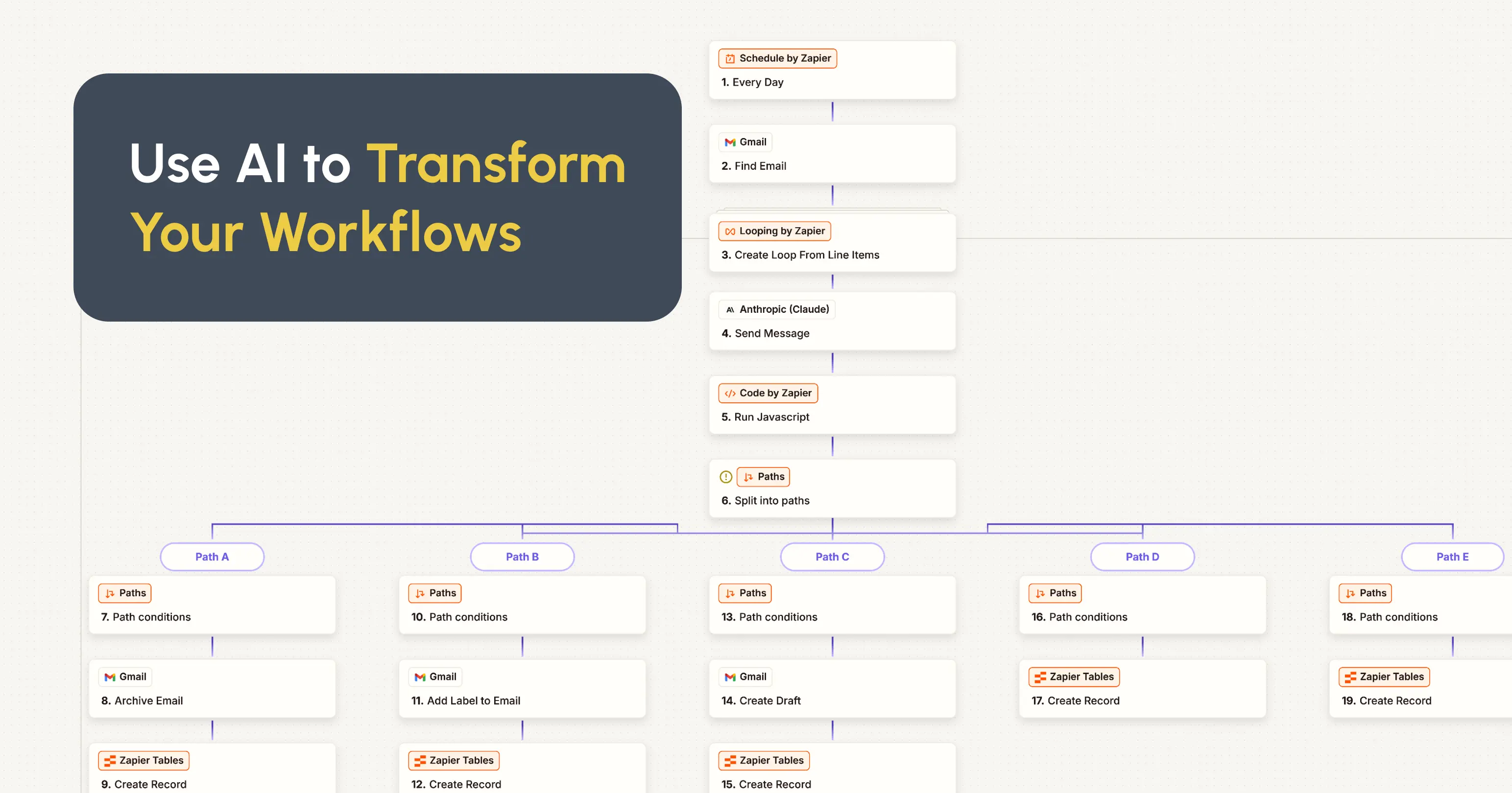
- Build the workflow in Zapier (trigger → AI step → output)
- Test with 10 real examples
- Refine the prompts until output quality matches human quality
- Week 5: Train. Sit with each person whose workflow changed. Show them the before and after. Answer questions. Let them run it supervised for one week.
- Week 6: Measure. Compare time spent before and after. Calculate hours saved. Report to leadership. Expand to the next 3 processes.
Why Most Organizations Get This Wrong
Mistake 1: Starting With the Platform Instead of the Process
"We need Salesforce" is a software purchase dressed up as a strategy. Start with the process. Map it. Understand where the time goes. Then pick the tool that fits.
Mistake 2: Automating Bad Processes
If your donor communication process is broken (wrong people getting the wrong messages), automating it just sends bad messages faster. Fix the process first. Then automate.
Mistake 3: Not Involving the People Who Do the Work
The development director knows the donor thank-you process better than any consultant. Involve them in the design. Let them test the output. Their feedback is what makes the automation trustworthy.
Mistake 4: Treating AI as Set-and-Forget
AI-powered automations need monthly review. Are the prompts still producing good output? Has the voice guidelines doc been updated? Are there new scenarios the automation does not handle? Schedule a monthly check-in.
How Slam Brings AI Business Process Automation to Clients
We built our own AI-powered processes first. We automated our content pipeline, our competitive research, our meeting documentation, our client communications, and our knowledge management. We measured 15 to 20 hours saved per week.
Now we bring that same infrastructure to clients through our AI consulting practice:
- Process audit: We map your current workflows and identify the highest-impact automation opportunities
- Implementation: We build the automations using Claude, Zapier, and your existing tools
- Training: We sit with your team and show them how each automation works
- Documentation: We document everything so you can maintain and extend the system without us
- 30-day follow-up: We check in to fix what is not working and add new automations based on what your team has learned
This connects to everything else we do. The SEO strategy we build uses AI-automated competitive research. The brand identity we design gets enforced through AI voice assistants. The Webflow website we build feeds automated content workflows. One system.
Book a consultation and we will audit your processes for free.
.png)